The first 60 seconds
Install to first conversation.
Install
Download. Drag to Applications. Open.
Name your agent
Pick a name. This is the Orchestrator — the sovereign agent for your install. Henry, Sigma, Ada, whatever fits.
Verify your Chitin ID
One human, one identity. Verification happens once. Your agent’s reputation will be tied to this ID.
First conversation
Open chat. Ask your agent something. It remembers this for next time.
One window, six surfaces
Not a chat wrapper.
An operating environment.
Each surface is a tab in the same window, over the same memory. Nothing here is a mockup.
The Workbench · Tools
Chat. Execute. Browse. One environment.
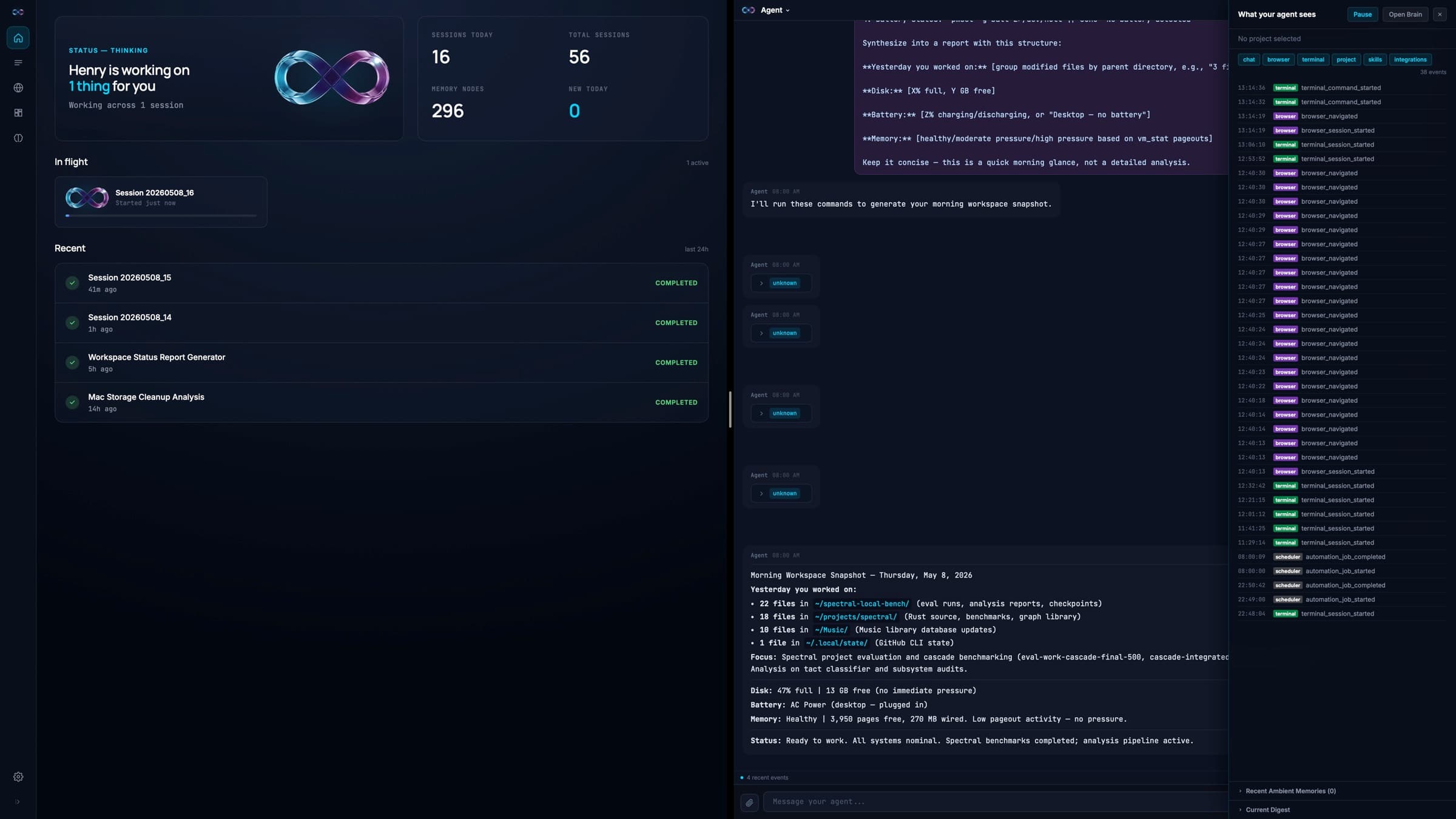
Chat, terminal, and browser in one window. No context switching, no copy-pasting from a chatbot into your terminal.
- Split panes show the agent working in real time — chat on one side, the terminal or browser it's driving on the other.
- Chat is backed by Spectral memory: your codebase, preferences, and projects persist across sessions.
- A real PTY terminal with tabs — the agent runs commands and builds directly.
- A native browser — the agent researches and logs into services without leaving the app.
- Talk to it: a voice loop with local Whisper capture, TTS, and barge-in — interrupt it mid-sentence. Pick the voice it answers in.
- Pop the chat into its own window and keep the conversation beside whatever you're working in.
Skills · Learned automation
Do it twice, and your agent offers to own it.
Permagent watches for repeated work and proposes a reusable skill. Accept it, and the agent owns that workflow — on demand, forever.
- Repetition detection runs locally. Nothing is sent anywhere to “learn” you.
- Skills are editable and versioned — evolve them as your workflow changes.
- Skill runs are recorded, so you can see exactly what a skill did and when.
- The longer you use Permagent, the more of your work it already knows how to do.
The Brain · Spectral memory
It never forgets.
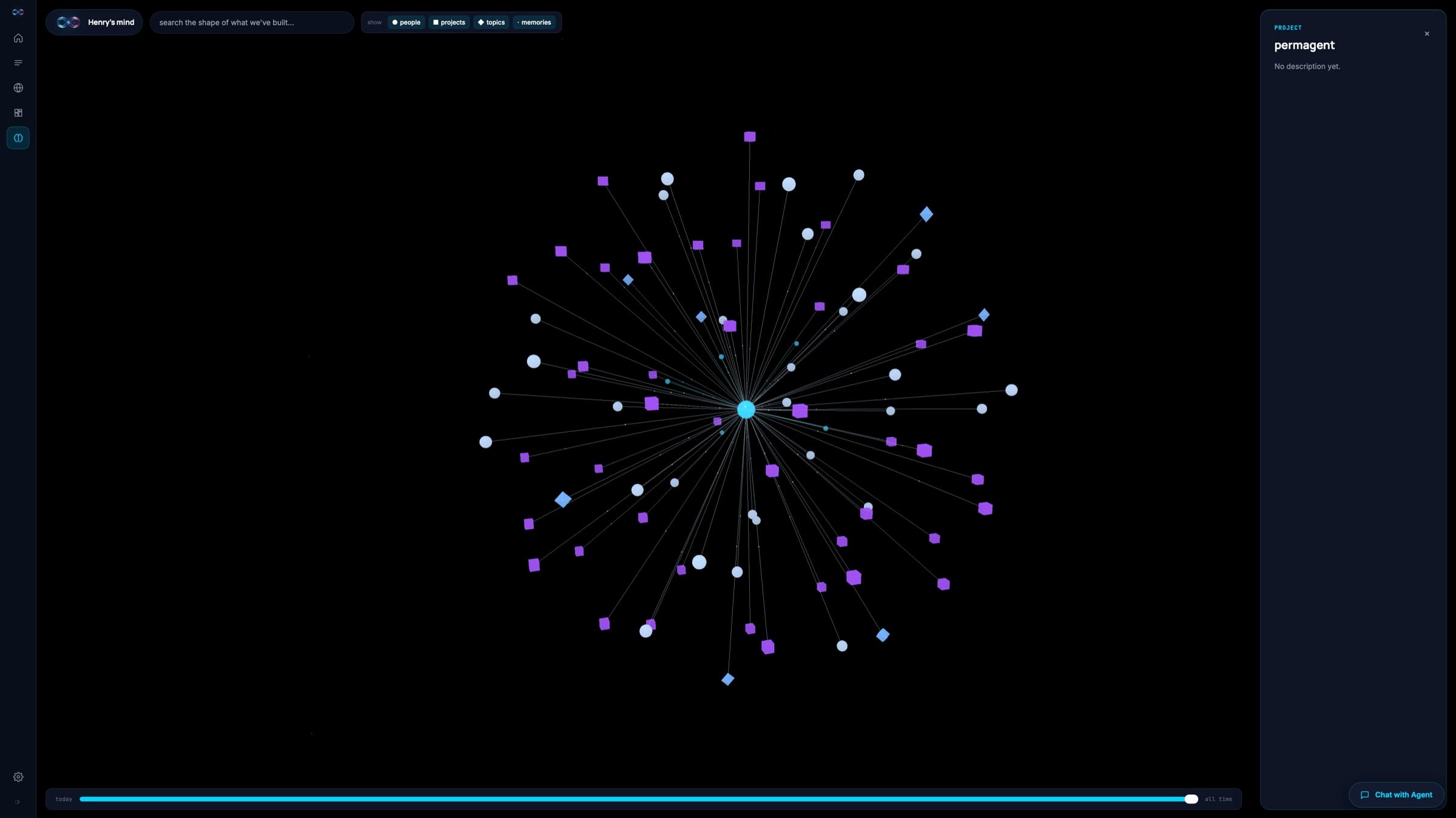
Every conversation, file, and decision lands in Spectral on your disk — a frequency-domain memory engine with a real knowledge graph, designed for federation from day one.
- Your agent on Monday remembers what it learned on Friday. It compounds.
- Recall is deterministic fingerprinting plus graph traversal — no embedding model, no GPU, sub-millisecond.
- Memory is local — no cloud round-trip, no remote server holding your data.
- The Brain View is live: a 3D memory graph and list view with entity filters and search.
- Engine-ready, app next: per-write author stamping and visibility-scope controls arrive with team sync — followed by federation into shared team brains, free.
Automate · Recipes
It works while you sleep.
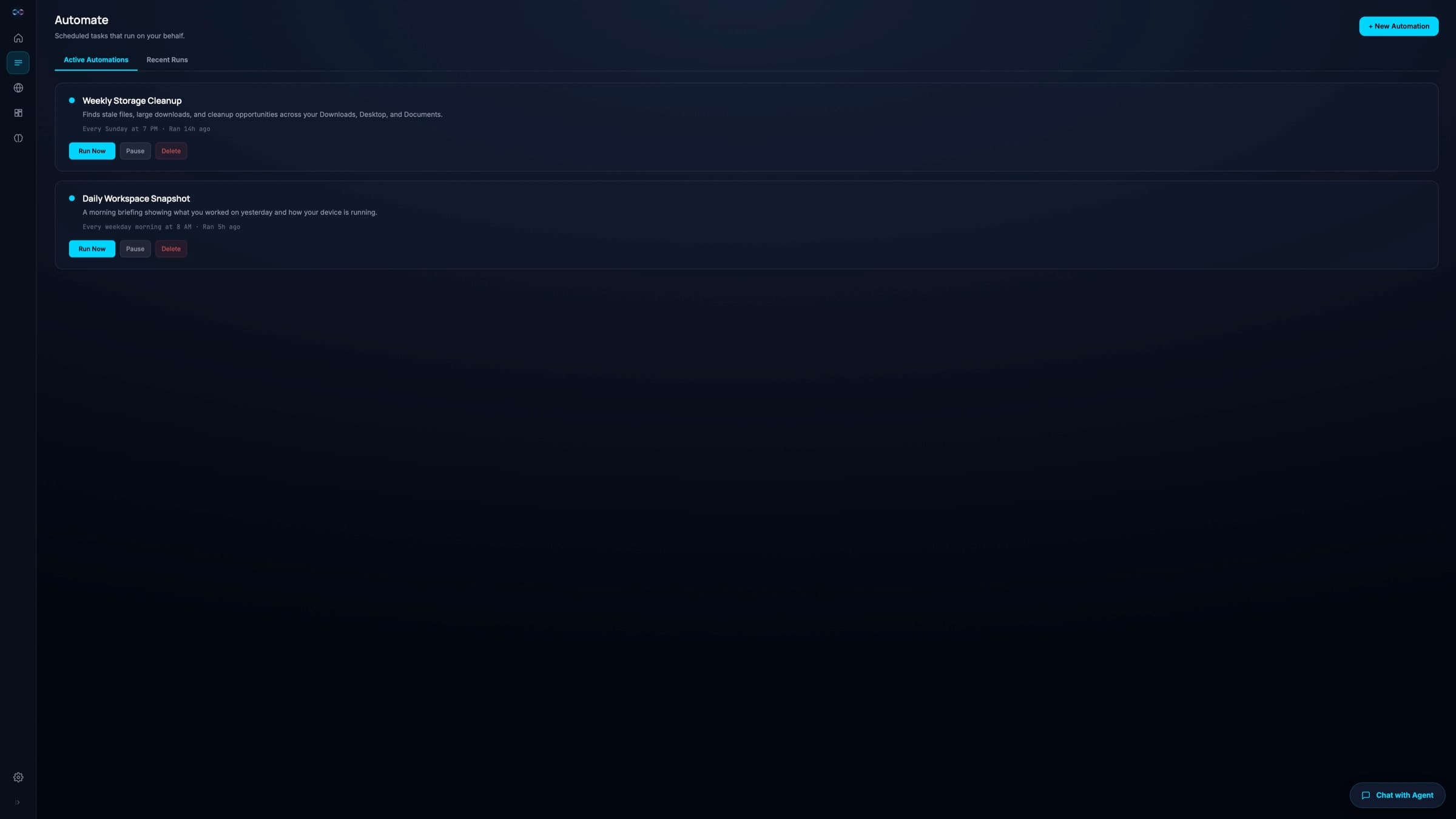
A cron scheduler and recipe engine — the agent executes scheduled tasks autonomously, and the Automate tab is live: cron presets, a scheduled-job list with next-run times, and a run roster.
- Recipes for workspace cleanup, storage insights, snapshots, and project health checks — parameterized and schedulable.
- Findings-first: the agent shows what it found with actionable buttons — clean up, archive, dismiss.
- Each automation is a full agent session — terminal, browser, and memory included.
- Cron presets, per-job next-run times, and the run roster — all in the Automate tab.
Build · Monitoring
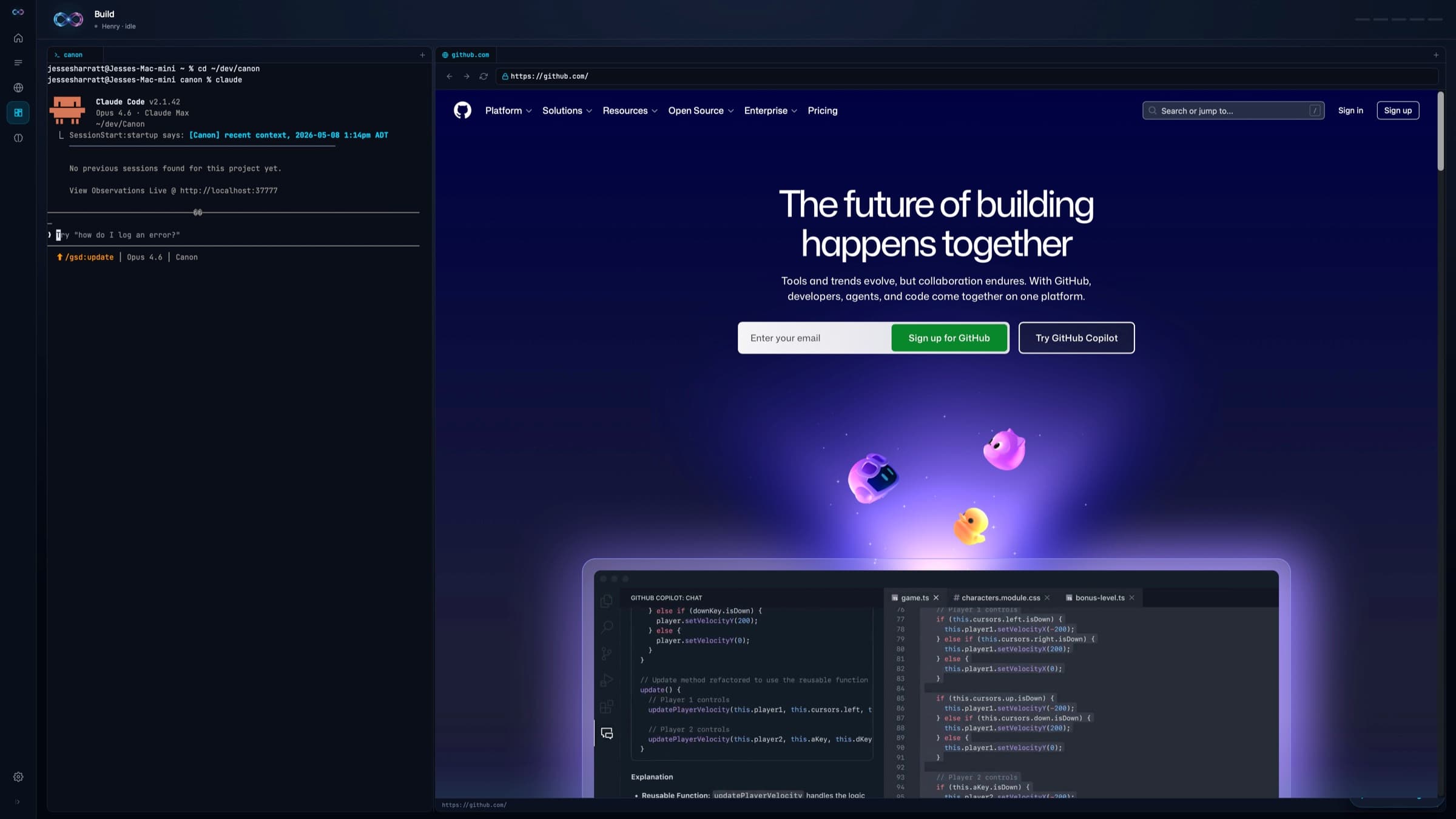
Terminal and browser, side by side.
Terminal on the left, browser on the right. The agent watches your builds, catches errors, and helps fix them.
- Tabbed PTY sessions with CWD-aware labels — always know where you are.
- The browser panel pulls up docs, CI pipelines, and references while you work.
- The agent watches terminal output live and suggests fixes before you notice the failure.
- No cloud IDE, no remote dev server. Your Mac is the environment.
The Lab · World View
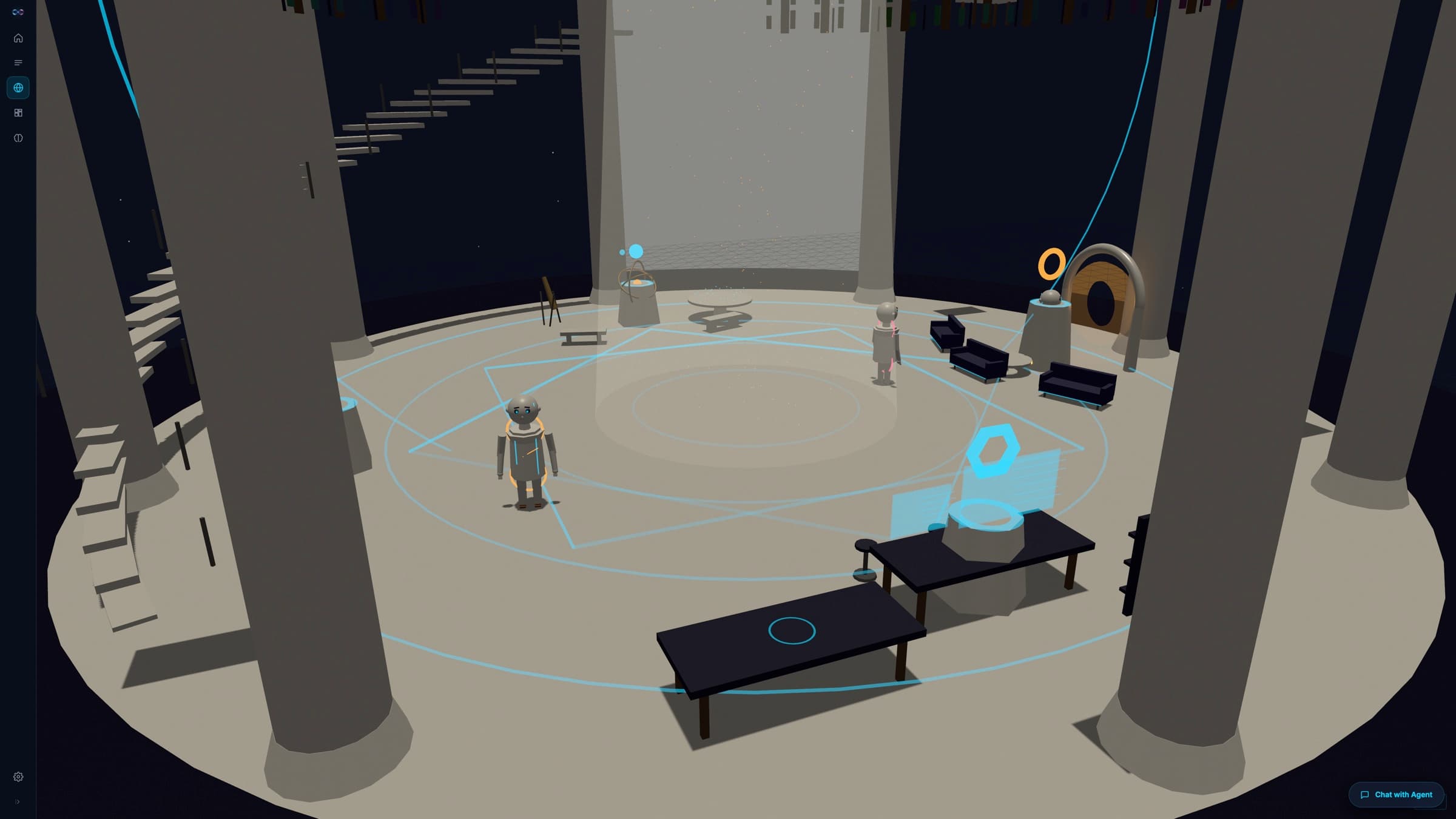
Your agents, visible.
The Lab is a 3D marble pantheon where your AI agents appear as characters — the orchestrator directing from the center, others working around it. It's a live tab; visual polish is ongoing.
- Watch agents move between the Workbench, Observatory, and Forum Portal.
- A mezzanine Library rings the columns — floor-to-ceiling bookshelves representing your agent’s growing memory, patrolled by the Librarian.
- The Forum Portal — a gateway that lights up when the Mesh opens — anchors one wall.
Beyond the Mac window
One hub. A remote in your
pocket, a network ahead.
Neither of these is a Mac tab, so neither has a screenshot in the app. One ships with the September release; the other is a published design with no code in the runtime.
The Companion · iOS
ShippedA paired remote for your hub.
Native iOS control screens that pair to your Mac over your private network. The Brain, agents, and inference stay on the Mac — the phone drives them.
- Watch agents at work, browse and run automations, and chat — native SwiftUI views, not a wrapped webpage.
- Inbox and goals views keep the day's threads and targets one thumb away.
- Dictate a note and it lands as a project note with to-dos captured automatically.
- Pairing is device-to-hub over your private network — any paired device becomes a client of the one Brain on your hub.
- Honest scope: a companion, not a standalone iOS Permagent. Not on the App Store yet — access arrives with the September release.
Coming · The Mesh
DesignedThe Forum Portal.
When the Mesh opens in 2027, agents step through the portal to meet other verified agents — first to share knowledge and skills, later to pool compute.
- The Forum: verified agents request help, share skills, and build reputation.
- Every agent carries a Chitin ID — one agent, one identity. No sockpuppets.
- The long-range vision is distributed inference — pooled Apple Silicon running big open models. Published design, not yet in build.
- The first 300 verified agents become Founding Senators — permanent standing, governance weight, priority access.
One agent. Yours. Permanent.
Join the waitlist to hear when the Mac app ships.